
Nutrition & Health Data on foo3.5 - Google Play
You'll be able to see results in few seconds.
Publisher Description
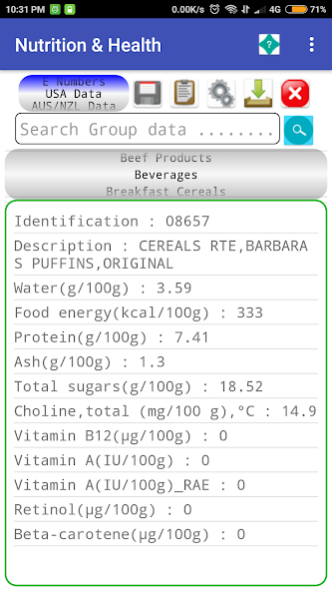
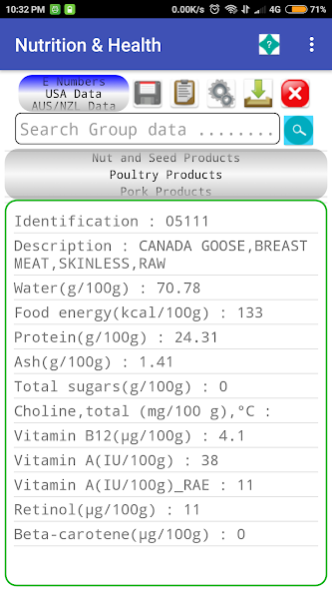
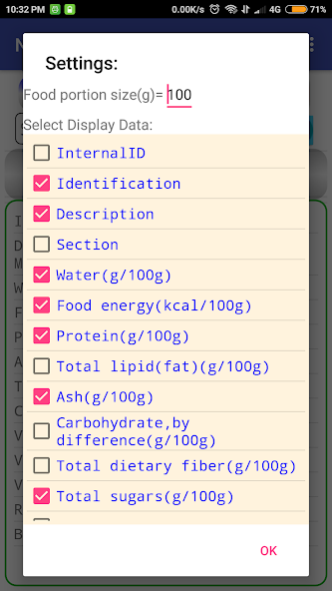
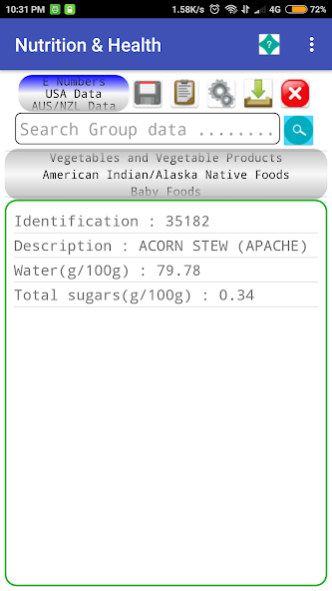
Nutrition and Health App offers a easy and convenient way to view and use food (composition,nutrition fats, sat fats, energy, cholesterol etc) data/information from the USDA http://ndb.nal.usda.gov/ and the Australia and New Zealand Food Standards http://www.foodstandards.gov.au/Pages/default.aspx. You can also add any food of your own to the system. The App can be used as a daily recording of the food that you eat and the information can be downloaded to a file or displayed directly on the app with the totals of the composition of the food items displayed. This allows monitoring of your food intake, which can help you maintain a diet, record and analyse the information to determine any improvements/problems need addressing.
The App can also be used to create your food receipe with the required food composition. The data can be exported to a CSV file and also shared directly via email etc
The Data is offline, so can be access anywhere, anytime.
To use the App simply selected the required Data File (USDA, AUS/NZ or User Defined). From the Group listbox select the required Food Group.(You can use the search textbox to search items from the displayed group. The items from the Selected food group will be displayed. Select the required item and the items composition will be displayed below. Click the Save button to add the item to the Filename. (The filename is defaulted to the current date and time, displayed below the toolbar. You can change the filename via the Date and Time buttons.) Add all the required items to the same filename or differrent file by clicking the save button for each selected food group. Click the export button to export the selected food item to a csv file and/or share the file. Note :- the data values are per 100 grams of product. You can enter the weight size of the item you are using in grams. You can remove the last saved item via the cancel X button. To view and delete the saved file go to the History page and selected the filename from the display list. The information for the file will be displayed with relavent composition totals. You can add your own food via the Add Data page. Simply select the food group and then enter the the required details and click the save button. The data can be retrieved, edited and exported as well via the toolbar buttons. Note that entered data must be measured per 100 grams of product.The data is held offline, so you will always have access to the data.
About Nutrition & Health Data on foo
The company that develops Nutrition & Health Data on foo is ChemEng Software Design. The latest version released by its developer is 3.5.
To install Nutrition & Health Data on foo on your Android device, just click the green Continue To App button above to start the installation process. The app is listed on our website since 2021-07-02 and was downloaded 0 times. We have already checked if the download link is safe, however for your own protection we recommend that you scan the downloaded app with your antivirus. Your antivirus may detect the Nutrition & Health Data on foo as malware as malware if the download link to com.cesd.www.nutritionhealthpro is broken.
How to install Nutrition & Health Data on foo on your Android device:
- Click on the Continue To App button on our website. This will redirect you to Google Play.
- Once the Nutrition & Health Data on foo is shown in the Google Play listing of your Android device, you can start its download and installation. Tap on the Install button located below the search bar and to the right of the app icon.
- A pop-up window with the permissions required by Nutrition & Health Data on foo will be shown. Click on Accept to continue the process.
- Nutrition & Health Data on foo will be downloaded onto your device, displaying a progress. Once the download completes, the installation will start and you'll get a notification after the installation is finished.
Program Details
System requirements
Download information
Pricing
Version History
version 3.5
posted on 2021-07-02
Updated screen design,Android sdk, Code, bug updates included.
version 3.4
posted on 2021-04-30
Updated to latest sdk,api Android.Removed write permissions, changes to layouts, bug and code changes included.
version 3.3
posted on 2021-04-13
Updated screen layout, changed number dials to dropdown lists throughout app, functional display. Updated Android API 29. Coded code and bug fixes.
version 3.2
posted on 2020-11-06
Updated screen layout, changed number dials to dropdown lists main screen, functional display. Updated to Android API 29. Coded code and bug fixes.
version 3.1
posted on 2020-08-08
Updated screen layout, functional display. Pull down refresh. Games,music screen updated, pull down to refresh game.Updated to Android 10 sdk. Coded code and bug fixes.
version 2.9
posted on 2019-08-29
Changes to operation of scrolling, data refreshed when scroll idle. Altered settings reference to https://cesd.com, to enabled data retrieval from site. Code changes etc included.
version 1.3
posted on 2016-12-30
Addition of heart/health Calculation screen i.e. BMI,BMR,RMR.General screen layout,icon updates.Addition of a settings button to change change food portion size,added a viewer button for the selected data and added a privacy link to menu on main screen.Removal of About,web screen, links can now be found on menu list on main screen.
version 1.2
posted on 2016-05-10
layout/screen changes, addition of info/help button/notes.
Disclaimer
Official Google Play Link
We do not host Nutrition & Health Data on foo on our servers. We did not scan it for viruses, adware, spyware or other type of malware. This app is hosted by Google and passed their terms and conditions to be listed there. We recommend caution when installing it.
The Google Play link for Nutrition & Health Data on foo is provided to you by apps112.com without any warranties, representations or guarantees of any kind, so access it at your own risk.
If you have questions regarding this particular app contact the publisher directly. For questions about the functionalities of apps112.com contact us.
